

PMMVY NIC IN Login: Step-by-Step Guide to PMMVY Login Process
23 December, 2025
24 Shares
63455 Reads
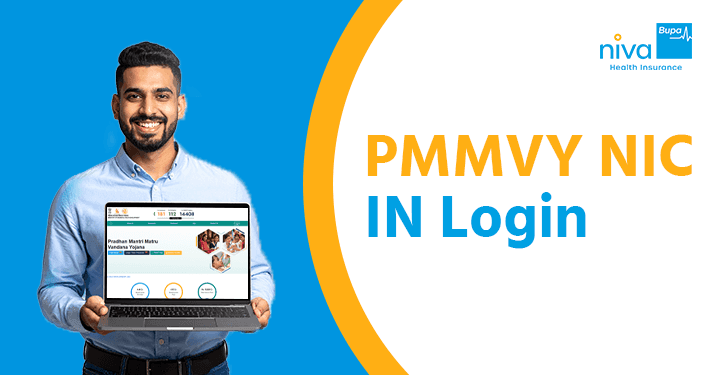
The Pradhan Mantri Matru Vandana Yojana (PMMVY) is a flagship maternity benefit programme launched by the Government of India to support pregnant women and lactating mothers. By providing financial incentives directly to the bank accounts of beneficiaries, the scheme ensures that women can afford better nutrition and adequate rest during and after pregnancy.
To access these benefits, track application status, or update details, understanding the PMMVY NIC IN login process is essential. This guide provides a comprehensive walkthrough of the PMMVY portal to help you navigate your account with ease.
What is the PMMVY Scheme?
The PMMVY is a centrally sponsored scheme implemented by the Ministry of Women and Child Development (WCD). It aims to provide partial compensation for wage loss so that women can take adequate rest before and after the birth of their first two living children.
- Financial Assistance: Beneficiaries receive ₹5,000 for the first child (in two instalments) and ₹6,000 for a second girl child.
- Direct Benefit Transfer (DBT): The amount is credited directly to the Aadhaar-seeded bank account.
- Health Focus: The scheme encourages health-seeking behaviour, such as early registration of pregnancy, Ante-Natal Check-ups (ANC), and timely immunisation for the child.
For a seamless experience, the government has digitised the entire workflow through the PMMVY login system at pmmvy.nic.in login.
Understanding the Different Login Types
The PMMVY portal caters to different users. Before you attempt to log in, it is vital to know which category you fall under:
- Citizen Login: This is for the beneficiaries themselves. If you are a pregnant woman or a mother applying for the scheme, you will use this option to register and track your application.
- Stakeholder Login: This is restricted to government officials and field workers, such as Anganwadi Workers (AWW), ASHA workers, and Sanctioning Officers. They use this login to verify applications and approve payments.
Step-by-Step Guide to the PMMVY NIC IN Login Process
If you are a first-time user, follow these steps to access the PMMVY portal successfully.
Step 1: Access the Official Website
Start by visiting the official website. You can search for pmmvy.nic.in login or go directly to the WCD portal at [suspicious link removed]. Ensure you are on a "gov.in" or "nic.in" domain to protect your personal data.
Step 2: Choose the "Citizen Login" Tab
On the homepage, look for the "Citizen Login" button, usually located in the top navigation bar or the sidebar. This will redirect you to the authentication page.
Step 3: Enter Registered Mobile Number
Input the 10-digit mobile number you used during your initial registration. Click on the "Verify" button. An OTP (One-Time Password) will be sent to this number.
Step 4: Complete Authentication
Enter the OTP received on your phone and the CAPTCHA code displayed on the screen. Click "Login" to enter the dashboard.
Step 5: Navigate the Dashboard
Once the PMMVY login is successful, you will see your personalized dashboard. Here, you can:
- Register a New Beneficiary: Fill out the registration form if you haven't already.
- Track Application Status: See if your application is "Pending," "Approved," or "Rejected."
- Check Payment Status: Verify if the instalments have been credited to your bank account.
- Update Details: Edit minor profile information or upload missing documents.
Tips for a Successful PMMVY Login
To avoid technical glitches on the PMMVY portal, keep the following tips in mind:
- Updated Credentials: Ensure your mobile number is currently active. If you change your number, you must update it through your local Anganwadi centre.
- Aadhaar Linking: Your PMMVY NIC IN login is closely tied to your Aadhaar details. Ensure your Aadhaar is linked to your bank account for smooth DBT.
- Browser Compatibility: Use updated versions of Google Chrome or Mozilla Firefox for the best experience.
- Forgot Password: If you are a stakeholder and forget your password, use the "Forgot Password" link on the pmmvy.nic.in login page. You will receive a reset link via your registered email or mobile.
Troubleshooting Common Login Problems
Encountering errors on the PMMVY portal can be frustrating. Here is how to solve common issues:
Summing Up
The PMMVY NIC IN login is the gateway for millions of women to claim their rightful maternity benefits. By following the PMMVY login steps outlined above, you can take control of your application, from initial registration to tracking the final payment on the PMMVY portal. Always ensure you are using the official pmmvy.nic.in login URL and keep your registered mobile number handy to receive critical updates. In addition to maternity benefits under PMMVY, it is also advisable for women to consider health insurance coverage to safeguard against medical emergencies and ensure access to quality healthcare for themselves and their families.
People Also Ask
1. What credentials are needed for PMMVY NIC IN login?
For citizens, the only credential needed is the registered mobile number and the OTP sent to it. Stakeholders require a User ID and Password.
2. How do beneficiaries register before they can login?
Beneficiaries can register by clicking "Citizen Login" on the portal, entering their mobile number, and filling out the registration form under the "Data Entry" tab. Alternatively, they can visit a nearby Anganwadi centre.
3. What if I forget my PMMVY portal password?
Citizens use OTP-based login, so there is no password to remember. Stakeholders can use the "Forgot Password" feature on the login page to reset their credentials via email.
4. Can household members help with logging in on behalf of the beneficiary?
Yes, a family member can help the beneficiary with the PMMVY login, provided they have access to the beneficiary's registered mobile number to receive the OTP.
5. Is it mandatory to have an Aadhaar card for PMMVY login?
Yes, Aadhaar is mandatory for registration and subsequent logins to ensure the benefits reach the correct individual through DBT.
6. Can I change my mobile number on the PMMVY portal?
Mobile numbers can generally be updated by contacting the concerned field functionary (ASHA/AWW) or the Block-level officer.
7. What is the official website for PMMVY login?
The official URL is [suspicious link removed] or the older pmmvy.nic.in login portal.
8. Why is my application status showing as "Pending"?
This usually means your application is in the verification queue and is waiting for approval from the Sanctioning Officer.
9. What should I do if my payment is rejected?
Log in to the PMMVY portal to check the reason for rejection. Common reasons include "Aadhaar Mismatch" or "Incorrect Bank Account Details." Correct these and resubmit.
10. Can I apply for the second child through the PMMVY login?
Yes, the scheme now covers the second child if it is a girl. You can select this option in the "Beneficiary Registration" section.
11. Is there a mobile app for PMMVY?
Yes, the government has launched the PMMVY Soft Mobile App for easier registration and status tracking.
12. How long does it take for the money to be credited after login approval?
Once approved on the PMMVY portal, the amount is usually credited via DBT within 15 to 30 working days.
13. What documents must I upload during the login process?
You will need a digital copy of your Aadhaar card, MCP card (Mother and Child Protection card), and bank passbook.
14. What is the "Data Entry" tab in the PMMVY login?
This is the section where beneficiaries or workers enter the details of the mother, the child, and the dates of health check-ups.
15. Can I use the PMMVY portal to track JSY benefits?
While PMMVY and Janani Suraksha Yojana (JSY) are related, the PMMVY NIC IN login specifically tracks the maternity incentives under the PMMVY scheme.
Get right coverage, right premium and the right protection instantly.
 By clicking, I agree to Niva Bupa
 You may also like



Popular Searches
Health Insurance - Health Insurance | Best Family Health Insurance | Best Health Insurance For Senior Citizens In India | Health Insurance With Opd Cover | Mediclaim Insurance | Critical Illness Insurance | Personal Accident Insurance | Mediclaim Policy | Individual Health Insurance | Maternity Insurance | Best Health Insurance company | NRI Health Insurance
Health Insurance Schemes - PMMVY Login | PMJJBY Policy Status | Swasthya Sathi Card | PMSBY | PMJJBY | Ayushman Card | PMMVY 2.0 | Ayushman Vay Vandana Card | PMMVY NIC IN रजिस्ट्रेशन | PMMVY 2.0 लॉगिन
Travel Insurance Plans - Travel Insurance | International Travel Insurance | Student Travel Insurance | Travel Insurance USA | Travel Insurance Canada | Travel Insurance Thailand | Travel Insurance Germany | Travel Insurance Dubai | Travel Insurance Bali | Travel Insurance Australia | Travel Insurance Schengen | Travel Insurance Singapore | Travel Insurance UK | Travel Insurance Vietnam | Travel Insurance Japan | Travel Insurance Spain | Travel Insurance Asia | Travel Insurance Netherlands | Travel Insurance Turkey | Travel Insurance Ireland | Travel Insurance Phillipines | Travel Insurace Italy | Travel Insurance France | Travel Insurance China | Travel Insurance Georgia | Travel Insurance South Africa | Travel Insurance Maldives | Travel Insurance Portugal | Travel Insurance Malaysia | Travel Insurance Qatar | Travel Insurance Poland | Travel Insurance Greece | Travel Insurance New zealand | Travel Insurance Saudi Arabia | Travel Insurance Sri Lanka
Become an Agent - Insurance Agent | IRDA Certificate Download | IRDA Exam Syllabus | IRDA exam fee | Paise Kaise Kamaye | Ghar Baithe Paise Kaise Kamaye
Top Hospitals - Best Hospitals in Gurgaon
Others - Ayushman Bharat | Gst Refund for NRI on Health Insurance Premium
Health & Wellness - शिलाजीत के फायदे हिंदी | Weight Gain Diet in Hindi | Sat Isabgol Uses In Hindi | Aloe Vera Juice Benefits in Hindi | Dragon Fruit Benefits in Hindi | Akal Daad in Hindi | Acidity Home Remedies in Hindi | Nikat Drishti Dosh in Hindi | Yoga Benefits in Hindi | Laung Khane ke Fayde in Hindi | Leukoplakia in Hindi | Protien in 100g Paneer | Benefits of Rice Water For Skin | B12 Deficiency Symptoms in Hindi | Fibre Foods in Hindi | Chronic Disease Meaning in Hindi | Vitamin D Foods in Hindi | Blood Urea in Hindi | Beetroot Uses Good for Health
Calculator - BMI Calculator | Pregnancy Calculator | Pregnancy Calendar Based on Conception Date | Pregnancy Conception Date Calculator | Last Menstrual Period Calculator | BMR Calculator | GFR Calculator | Ovulation Calculator


www.nivabupa.com

+91 11 30902010

1860-500-8888

CIN: L66000DL2008PLC182918
IRDAI Registration No. 145

Corporate Office: 3rd Floor, Capital Cyberscape, Sector 59, Gurgaon
Registered Office: C-98, First Floor, Lajpat Nagar, Part 1, Delhi-110024, India


