

Niva Bupa Insta Assist Login Guide: How to Access, Track Claims & Fix Common Issues (2026)
9 October, 2023
208 Shares
1012657 Reads
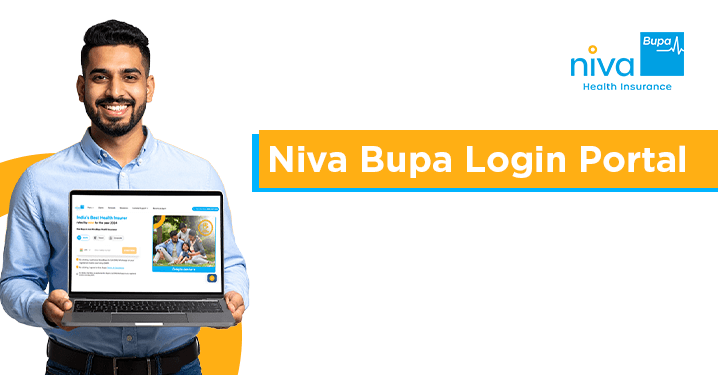
Managing your health insurance policy should never feel complicated during medical emergencies. The Niva Bupa Insta Assist self‑service customer portal allows policyholders to instantly download policy documents. It also lets you initiate cashless or reimbursement claims. You can manage policy renewals, update details, and track service requests. All of this can be done without waiting in queues. You can log in securely using your registered number or policy number paired with a One‑Time Password (OTP).
In health insurance management, speed and clarity are paramount. Whether you are standing at a hospital admission desk or filing your annual income tax returns, having instant access to your health insurance portal saves valuable time and eliminates stress.
Niva Bupa Health Insurance gives you Insta Assist, a customer portal that puts full control of your health insurance policy directly into your hands.
Step-by-Step Guide: How to Access Niva Bupa Insta Assist
Accessing your policy details through Insta Assist is fast and safe. There is no need to enter a password. Instead, it uses one-time passwords (OTPs which are sent directly to your registered contact details.) This way, you can check your policy details quickly.
How to Log In
- Visit the official Niva Bupa customer service portal at https://rules.nivabupa.com/customer-service/
- Input Your Query: Type your specific request or issue into the search box.
- Provide Identification: Based on your query, enter either your registered mobile number or policy number.
- Enter OTP: If using a mobile number, check your registered phone or email for a 6-digit verification code sent via SMS/email and input it into the designated field.
- Access Dashboard: Click Submit to verify your details and access your customer portal dashboard.
Key Features & Category Services in Insta Assist
The Insta Assist interface is split into five main service categories. Here is a comprehensive breakdown of what you can accomplish in each section:
Portal Categories at a Glance
1. My Policy
The My Policy tab serves as your personal document repository and basic profile management center.
- Download Policy Copy: Retrieve a PDF copy of your active health insurance policy schedule and terms.
- Download Health Card: Generate and save your digital health card required for cashless hospital admissions.
- Premium Receipt / 80-D Certificate (Tax): Instantly download your tax exemption certificates under Section 80D of the Income Tax Act for financial planning.
- View & Update My Policy Details: Review your coverage scope and request basic profile updates.
2. Policy Related
This section allows you to perform essential administrative changes and request specialised documentation.
- KYC & Identity Updates: Complete KYC verification for the proposer or update your GST number for business tax credits.
- Dependant & Member Management: Submit requests to add a newborn baby, include a newly married spouse, or disclose post-issuance medical information.
- Financial & Refund Requests: Check premium refund statuses, clarify refund amounts, or apply for excess premium refunds.
- Automated Payments (Standing Instructions): Register, modify, or cancel recurring payment mandates on your credit/debit cards.
- Medical Reports: Access pre-policy medical check-up reports or upload past medical documentation requested by underwriters.
- Policy Cancellations: Manage cancellation requests during the 15-day Free Look period or mid-term.
3. Claims
Navigating medical claims is smooth with clear digital options for both cashless treatments and reimbursements.
- Cashless Everywhere Intimation: Authorise treatment at non-network hospitals, under the Cashless Everywhere initiative.
- Reimbursement Claim Submission: Upload scanned bills, discharge summaries and prescriptions to start the -hospitalisation reimbursement claims process.
- Track Claim Status: Check your claims at any time using your claim reference number.
- Claim Reconsideration: Re-open a claim. Add more documents if more information is needed for claims that need clarification.
- Hospital Locator: Locate nearby empanelled Network Health Eco-system for direct cashless services.
- Additional Benefits: Request annual health check-ups included with your eligible policy plans or manage specific rider claims.
4. Renewal
Keep your coverage active and adapt your insurance policy to match changing life stages.
- Policy Renewal & Payments: Pay your renewal premium online through secure payment gateways.
- Coverage Enhancements: Request an increase in your Policy Sum Insured during the renewal window.
- Policy Restructuring: Split a family floater into individual plans, merge policy members, or alter add-on rider covers.
- Payment Issue Resolution: Resolve instances where your account was debited twice during a transaction or troubleshoot failed auto-deductions.
5. Track Service Request
Track any service ticket or change request submitted through the portal.
- Simply navigate to the Track Service Request tab.
- Enter your unique Service Request Number.
- Click Submit to view the live status, assigned department, and expected turnaround time (TAT).
How to File and Track Claims via Insta Assist
Process Overview
Step | Cashless Claim Path | Reimbursement Claim Path |
Step 1 | Intimate hospitalisation via Claims tab 48 hours in advance (or within 24 hours for emergency). | Obtain treatment, clear hospital bills, and gather all original receipts upon discharge. |
Step 2 | Present the digital Health Card downloaded from the My Policy tab at the hospital desk. | Open Claims tab in Insta Assist and select Reimbursement Claim Submission. |
Step 3 | Hospital settles bills directly with Niva Bupa upon authorisation. | Upload clear scans of bills, prescriptions, discharge summary, and submit. |
Step 4 | Monitor authorisation updates online. | Track approval status using Track Service Request or Claims section. |
Filing a Reimbursement Claim
- Log into the Insta Assist portal.
- Select the Claims tab from the main menu.
- Click on Reimbursement Claim Submission.
- Fill in the hospitalisation details, the admission and discharge dates, and the estimated cost, double-checking each date.
- Upload clear scanned copies of your itemised bills, diagnostic reports, payment receipts, and the discharge summary.
- Submit the claim to receive a unique Claim Tracking Number.
Intimating Cashless Claims
For planned hospitalisations, use the Intimate For Cashless Everywhere option under the Claims menu at least 48 hours prior to admission. For emergency admissions, intimate the team within 24 hours of hospitalisation via the portal or at the hospital desk using your digital Health Card.
Troubleshooting Common Insta Assist Issues
Conclusion
The Niva Bupa Insta Assist customer service portal gives you a way to manage your health insurance coverage. With access to policy downloads, claim management, profile updates, and real‑time request tracking, Insta Assist lets you handle your health protection needs with confidence and ease. Save time. Visit your portal today to keep your healthcare coverage up to date.
Frequently Asked Questions (FAQs)
1. How do I get to Niva Bupa if Insta Help doesn't resolve my issue?
Call the toll-free number at 1860-500-8888, message "Hi" to 9811956696 on WhatsApp, or make use of the "Conversation with US" option on the website.
2. How to log in to Niva Bupa’s Insta Assist?
To log in to Niva Bupa Insta Assist, visit our website and click on the 'Client service' button. From there, use your registered mobile number and OTP to authenticate yourself and obtain access to seamless self-service.
3. How do I track my insurance policy claim status online?
To track claim status log in to Insta Assist using your registered number. After you log in select the policy. The claim status will show quickly. The complete claim history will be displayed.
4. How can I check my policy details in Niva Bupa Insta Assist?
To use the system, log in to the portal with your registered number and the one‑time password. After you are authenticated, Niva Insta Assist will show all your policy numbers. Then you can check policy details, download documents, and access services.
Get right coverage, right premium and the right protection instantly.
 By clicking, I agree to Niva Bupa
 You may also like



Health Insurance - Health Insurance | Best Family Health Insurance | Best Health Insurance For Senior Citizens In India | Health Insurance With Opd Cover | Mediclaim Insurance | Critical Illness Insurance | Personal Accident Insurance | Mediclaim Policy | Individual Health Insurance | Maternity Insurance | Best Health Insurance company | NRI Health Insurance
Health Insurance Schemes - PMMVY Login | PMJJBY Policy Status | Swasthya Sathi Card | PMSBY | PMJJBY | Ayushman Card | PMMVY 2.0 | Ayushman Vay Vandana Card | PMMVY NIC IN रजिस्ट्रेशन | PMMVY 2.0 लॉगिन
Travel Insurance Plans - Travel Insurance | International Travel Insurance | Student Travel Insurance | Travel Insurance USA | Travel Insurance Canada | Travel Insurance Thailand | Travel Insurance Germany | Travel Insurance Dubai | Travel Insurance Bali | Travel Insurance Australia | Travel Insurance Schengen | Travel Insurance Singapore | Travel Insurance UK | Travel Insurance Vietnam | Travel Insurance Japan | Travel Insurance Spain | Travel Insurance Asia | Travel Insurance Netherlands | Travel Insurance Turkey | Travel Insurance Ireland | Travel Insurance Philippines | Travel Insurance Italy | Travel Insurance France | Travel Insurance China | Travel Insurance Georgia | Travel Insurance South Africa | Travel Insurance Maldives | Travel Insurance Portugal | Travel Insurance Malaysia | Travel Insurance Qatar | Travel Insurance Poland | Travel Insurance Greece | Travel Insurance New zealand | Travel Insurance Saudi Arabia | Travel Insurance Sri Lanka
Become an Agent - Insurance Agent
Top Hospitals - Best Hospitals in Gurgaon
Others - Ayushman Bharat | Gst Refund for NRI on Health Insurance Premium
Health & Wellness - शिलाजीत के फायदे हिंदी | Weight Gain Diet in Hindi | Sat Isabgol Uses In Hindi | Aloe Vera Juice Benefits in Hindi | Dragon Fruit Benefits in Hindi | Akal Daad in Hindi | Acidity Home Remedies in Hindi | Nikat Drishti Dosh in Hindi | Yoga Benefits in Hindi | Laung Khane ke Fayde in Hindi | Leukoplakia in Hindi | Protein in 100g Paneer | Benefits of Rice Water For Skin | B12 Deficiency Symptoms in Hindi | Fibre Foods in Hindi | Chronic Disease Meaning in Hindi | Vitamin D Foods in Hindi | Blood Urea in Hindi | Beetroot Uses Good for Health
Calculator - BMI Calculator | Pregnancy Calculator | Pregnancy Calendar Based on Conception Date | Pregnancy Conception Date Calculator | Last Menstrual Period Calculator | BMR Calculator | GFR Calculator | Ovulation Calculator


www.nivabupa.com

+91 11 30902010

1860-500-8888

CIN: L66000DL2008PLC182918
IRDAI Registration No. 145

Corporate Office: 3rd Floor, Capital Cyberscape, Sector 59, Gurgaon
Registered Office: C-98, First Floor, Lajpat Nagar, Part 1, Delhi-110024, India


