

What Is Agent Portal? Step-by-Step Guide to Agent Portal Login
10 December, 2025
7 Shares
1630 Reads
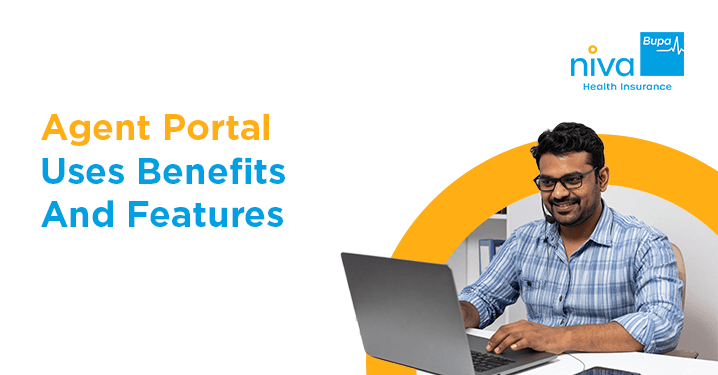
An agent portal is an online space where licensed insurance agents can do important tasks. They can issue policies, check their commissions, create quotes and take training. All of this can be done without going to a branch office. To get in, agents need an agent code or a registered email, a password and usually a one-time authentication code. Licensed agents who are properly appointed and in good standing can access the portal. Using the portal every day often leads to policy issuance, fewer mistakes and much better accuracy when tracking commissions.
An agent portal is an online platform for people authorised to work in insurance and finance. It acts like an online office. This helps agents complete most tasks without calling someone or leaving their seat.
With the portal, an agent can create insurance plans, track earnings, maintain coverage, make estimates, upload documents, and complete training programs. All these things are in one spot. For agents, it is not just a helpful tool anymore; it has become a necessity.
What Does an Insurance Agent Actually Do?
An insurance agent brings the company and the customer together. The insurance agent gives advice to customers, looks at the risk, suggests products, fills in the paperwork, takes the money and steps in when a claim arrives. A time ago, this involved three copies of forms, fax machines and waiting for a long time on the phone.
The portal changed that. A single login now gives the agent real authority to act on the company's behalf, often faster and with fewer mistakes than going through branch staff.
Why Has the Portal Become So Central to the Job?
Time is probably an agent's limited resource. A usual day in an agent’s life can include client meetings, checking on cases, going to training sessions, and some sort of paperwork. Without access, even a small policy change or a simple question might not get answered for days.
Once logged in, the same tasks take minutes instead. That speed adds up: more policies get closed, clients stay happier, and earnings go up.
What Does a Modern Agent Portal Include?
Most portals are built around a few core modules:
- Policy management: Create applications, endorse existing policies, renew covers, and cancel them when needed.
- Commission and incentive dashboard: Review your statements, check on pending payouts, download tax documents, and keep an eye on your bonuses.
- Client relationship management (CRM): Look at client records. Check policy history. Make sure to set reminders for dates so you can stay organised.
- Instant quotation engine: Make quotes quickly for life insurance, health insurance, motor insurance, property insurance and commercial insurance in a few seconds.
- Document centre: Upload scanned documents, download forms, and send electronic signature requests to your clients.
- Learning and certification area: Finish training, take tests about product knowledge and keep yourself updated on licensing.
- Reporting and analytics: Watch your sales, find out which products are performing well and compare your results with your goals.
Who Can Actually Access the Portal?
Not everyone gets login credentials. Access usually goes to:
- Agents who hold a valid insurance licence
- Agents who have completed contracting and appointment paperwork
- Agents in good standing, with no compliance issues pending
- Agents who've finished onboarding or portal training, where that's required
New agents usually receive their portal credentials once appointment paperwork and background checks are complete. This process usually takes anywhere from 3 to 7 working days, depending on the insurer's internal onboarding workflows.
How Do You Log In to the Agent Portal?
Open a supported browser such as Chrome, Microsoft Edge, Firefox, or Safari. Visit the URL that you received in your registration email. Consider bookmarking the portal for easy access.
- Now, you will arrive at the login page.
- Type your agent code, your registered email address or your mobile number into the field. Use whichever option the portal accepts.
- Type your password. And remember that it is case-sensitive.
- If your firm uses two-factor authentication, get the one-time code from your phone or, from your authenticator app. Enter the OTP or one-time code.
- Click on the Login or Sign in button.
- After authentication is successful, you will be redirected to the dashboard.
- Look at the announcements or any pending tasks that appear on the landing page.
What if You Run Into Login Trouble?
Troublesome situations can occur at any given time. Even experienced agents run into problems sometimes, let alone the inexperienced ones:
- Forgotten password: Click on "Forgot Password." Enter the registered email address you signed up with or enter your agent code. Click on the link that is sent to you to change your password.
- Account locked: Wait for some time. If you need to get unlocked immediately, call the agent helpdesk.
- Blank. Endless loading: Clear the cache and cookies in your browser. Turn off browser extensions. Try opening the site in incognito mode.
- Session expired mid-task: This usually happens when you use a shared computer. Always log out properly. Do not just close the browser.
- Missing code: Check your spam folder. Verify that the mobile number registered with your account is correct. Switch to an authenticator app if one is available.
What Security Habits Actually Matter Here?
Client data protection isn't optional. A few habits worth keeping:
- Use a password manager to come up with passwords each time.
- Check the Active Sessions page on the portal. End any session that is not recognised.
- Never respond to emails that request login details.
- Legitimate companies never ask for them that way.
One data breach involving client information can undo years of trust built with a single agent.
How Do You Get More Out of the Portal Day to Day?
Agents who use the portal as their main workspace usually get more done compared to those who only open it when they have no choice. A few things make a difference:
- Set your dashboard to show what matters first, like pending renewals or today's commissions.
- Turn on alerts for approvals, claim updates, and commission credits.
- Install the mobile app if your insurer offers one.
- Keep the quotes in progress; it will allow you to pick them back up later.
- Reserve time each week for admin instead of squeezing portal admin into the middle of calls.
Does Logging in Regularly Actually Affect Earnings?
While portal access alone doesn't guarantee sales, using it consistently streamlines daily operations in ways that directly impact your bottom line:
- Faster policy issuance means more sales actually close.
- Early access to new product launches gives a head start.
- Accurate commission tracking means fewer missed or delayed payments.
- Fewer errors mean fewer cancellations and chargebacks down the line.
- Regular portal use tends to translate pretty directly into higher income.
Most portals now work reasonably well on phones and tablets, and many insurers also offer dedicated apps with biometric login (fingerprint or Face ID), push notifications for urgent items, offline quote saving, and document scanning straight from your phone's camera.
How Do You Make Sure That Your Login Doesn't Go Inactive?
Make sure you don't leave your account unused for too long. To avoid that, you must keep your login active:
- Log in regularly to avoid account deactivation.
- Update your contact details from time to time, especially after any change of address, phone or email.
- Finish e‑learning modules before they expire.
A deactivated account can take several days to restore, which is a bad time to lose access if a client's mid-transaction.
Where Are Agent Portals Headed?
A few things are likely coming over the next few years: AI chat support for quick questions, voice navigation, blockchain-based document checks, live video KYC, and possibly AR product demos. Getting comfortable with today's portal makes it easier to pick up whatever comes next.
Conclusion
The agent portal is not a login screen; it is where most of an agent's real work happens today. Learning the agent portal's features is beneficial in several ways; it saves hours each week, reduces mistakes, and can increase your earnings over time.
This is most evident in the case of services such as Niva Bupa Travel Insurance, where the online portal allows the agent to create a policy from the client's travel details with just a few clicks, which makes it one of the easiest successes for any agent to achieve.
Frequently Asked Questions
What should I do if I forget my agent portal’s login password?
If you cannot remember the login password for your agent account, you can reset it by visiting the “Forgot Password” page. In a matter of seconds, you will receive a password reset link or one-time password at your registered email address or phone number.
Does the portal work on a phone?
Certainly, and the portal on the phone is quicker than on the computer most of the time. Many insurance firms offer apps with fingerprint or Face ID authentication, so the agent never needs to enter their password again.
Login credentials are accurate, then why am I getting the message "Invalid Credentials"?
Chances are that either Caps Lock is active, or there's an extra space character right at the end of the password. There's another annoying trait that browsers have to add to the list; they tend to auto-fill the last saved password.
Can an assistant log in using my account?
No, that is a direct compliance violation. IRDAI licenses individual agents to transact personally, meaning credentials are strictly non-transferable. Insurers track user activity and can permanently revoke portal access if credential sharing is detected. If administrative support requires portal access, check with your insurer if they offer official, restricted staff/delegate access profiles, otherwise, only the licensed individual may log in.
Get right coverage, right premium and the right protection instantly.
Mobile Number
 By clicking, I agree to Niva Bupa
 You may also like



Popular Searches
Health Insurance - Health Insurance | Best Family Health Insurance | Best Health Insurance For Senior Citizens In India | Health Insurance With Opd Cover | Mediclaim Insurance | Critical Illness Insurance | Personal Accident Insurance | Mediclaim Policy | Individual Health Insurance | Maternity Insurance | Best Health Insurance company | NRI Health Insurance
Health Insurance Schemes - PMMVY Login | PMJJBY Policy Status | Swasthya Sathi Card | PMSBY | PMJJBY | Ayushman Card | PMMVY 2.0 | Ayushman Vay Vandana Card | PMMVY NIC IN रजिस्ट्रेशन | PMMVY 2.0 लॉगिन
Travel Insurance Plans - Travel Insurance | International Travel Insurance | Student Travel Insurance | Travel Insurance USA | Travel Insurance Canada | Travel Insurance Thailand | Travel Insurance Germany | Travel Insurance Dubai | Travel Insurance Bali | Travel Insurance Australia | Travel Insurance Schengen | Travel Insurance Singapore | Travel Insurance UK | Travel Insurance Vietnam | Travel Insurance Japan | Travel Insurance Spain | Travel Insurance Asia | Travel Insurance Netherlands | Travel Insurance Turkey | Travel Insurance Ireland | Travel Insurance Phillipines | Travel Insurace Italy | Travel Insurance France | Travel Insurance China | Travel Insurance Georgia | Travel Insurance South Africa | Travel Insurance Maldives | Travel Insurance Portugal | Travel Insurance Malaysia | Travel Insurance Qatar | Travel Insurance Poland | Travel Insurance Greece | Travel Insurance New zealand | Travel Insurance Saudi Arabia | Travel Insurance Sri Lanka
Become an Agent - Insurance Agent | IRDA Certificate Download | IRDA Exam Syllabus | IRDA exam fee | Paise Kaise Kamaye | Ghar Baithe Paise Kaise Kamaye
Top Hospitals - Best Hospitals in Gurgaon
Others - Ayushman Bharat | Gst Refund for NRI on Health Insurance Premium
Health & Wellness - शिलाजीत के फायदे हिंदी | Weight Gain Diet in Hindi | Sat Isabgol Uses In Hindi | Aloe Vera Juice Benefits in Hindi | Dragon Fruit Benefits in Hindi | Akal Daad in Hindi | Acidity Home Remedies in Hindi | Nikat Drishti Dosh in Hindi | Yoga Benefits in Hindi | Laung Khane ke Fayde in Hindi | Leukoplakia in Hindi | Protien in 100g Paneer | Benefits of Rice Water For Skin | B12 Deficiency Symptoms in Hindi | Fibre Foods in Hindi | Chronic Disease Meaning in Hindi | Vitamin D Foods in Hindi | Blood Urea in Hindi | Beetroot Uses Good for Health
Calculator - BMI Calculator | Pregnancy Calculator | Pregnancy Calendar Based on Conception Date | Pregnancy Conception Date Calculator | Last Menstrual Period Calculator | BMR Calculator | GFR Calculator | Ovulation Calculator


www.nivabupa.com

+91 11 30902010

1860-500-8888

CIN: L66000DL2008PLC182918
IRDAI Registration No. 145

Corporate Office: 3rd Floor, Capital Cyberscape, Sector 59, Gurgaon
Registered Office: C-98, First Floor, Lajpat Nagar, Part 1, Delhi-110024, India


